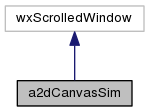
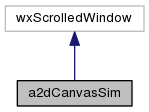
Simple canvas using a whole view for all of the scrolled window. More...
#include <cansim.h>
Public Member Functions | |
| a2dCanvasSim (wxWindow *parent, wxWindowID id=-1, const wxPoint &pos=wxDefaultPosition, const wxSize &size=wxDefaultSize, long style=wxScrolledWindowStyle) | |
| constructor More... | |
| virtual | ~a2dCanvasSim () |
| destructor More... | |
| void | SetMappingShowAll (bool centre=true) |
| use the boundingbox of the ShowObject to set the mapping such that it will be displayed completely. More... | |
| a2dDrawingPart * | GetDrawingPart () |
| void | SetDrawingPart (a2dDrawingPart *drawpart) |
| a2dDrawing * | GetDrawing () const |
| a2dDrawer2D * | GetDrawer2D () const |
| Get the drawer of the view. | |
| void | ClearBackground () |
| Clears the canvas (like wxWindow::ClearBackground) More... | |
| void | SetBackgroundFill (const a2dFill &backgroundfill) |
| background fill for the canvas | |
| virtual void | Refresh (bool eraseBackground=true, const wxRect *rect=NULL) |
| Refresh window. More... | |
| void | SetGridAtFront (bool gridatfront) |
| Set grid setting for drawing grid in front or back. | |
| bool | GetGridAtFront () |
| Get grid setting for drawing grid in front or back. | |
| void | SetGridStroke (const a2dStroke &gridstroke) |
| set stroke used for grid drawing | |
| void | SetGridSize (wxUint16 gridsize) |
| set size of grid circle | |
| void | SetGridFill (const a2dFill &gridfill) |
| set brush used for grid drawing | |
| double | GetGridX () |
| Get grid distance in X. | |
| void | SetGridX (double gridx) |
| Set grid distance in X. | |
| double | GetGridY () |
| Get grid distance in Y. | |
| void | SetGridY (double gridy) |
| Set grid distance in Y. | |
| void | SetGrid (bool grid) |
| Set grid on/off. | |
| bool | GetGrid () |
| Get grid setting on/off. | |
| void | SetGridLines (bool gridlines) |
| Get grid setting for line drawing. | |
| bool | GetGridLines () |
| set grid to draw lines instead of points | |
| void | SetShowOrigin (bool show) |
| Set showorigin on/off. | |
| void | SetYaxis (bool up) |
| set if the Yaxis goes up or down | |
| bool | GetYaxis () const |
| get currently used Yaxis setting | |
| void | SetZoomOutBorder (wxUint16 border) |
| zoomout leafs a border of this amount of pixels around the drawing | |
| bool | IsFrozen () |
| Returns if canvas is frozen. | |
| void | Freeze () |
| prevent changing the a2dCanvasView buffer and blitting it to the window More... | |
| void | Thaw () |
| allow a2dCanvasView buffer to be changed and blitting it to the window More... | |
| void | SetMappingWidthHeight (double vx1, double vy1, double width, double height) |
| Give the virtual size to be displayed, the mappingmatrix will be calculated. More... | |
| void | SetMappingUpp (double vx1, double vy1, double xpp, double ypp) |
| Give the virtual size to be displayed, the mappingmatrix will be calculated. More... | |
| double | DeviceToWorldX (int x) const |
| convert x from window to virtual coordinates | |
| double | DeviceToWorldY (int y) const |
| convert y from window to virtual coordinates | |
| double | DeviceToWorldXRel (int x) const |
| double | DeviceToWorldYRel (int y) const |
| int | WorldToDeviceX (double x) const |
| convert x from virtual to window coordinates | |
| int | WorldToDeviceY (double y) const |
| convert y from virtual to window coordinates | |
| int | WorldToDeviceXRel (double x) const |
| int | WorldToDeviceYRel (double y) const |
| a2dCanvasObject * | SetShowObject (const wxString &name) |
| bool | SetShowObject (a2dCanvasObject *obj) |
| a2dCanvasObject * | GetShowObject () const |
| a2dCanvasObject * | IsHitWorld (double x, double y, int layer=wxLAYER_ALL, a2dHitOption option=a2dCANOBJHITOPTION_NOROOT|a2dCANOBJHITOPTION_LAYERS) |
| do a hittest on the canvas at coordinates x,y More... | |
| void | SetMouseEvents (bool onoff) |
| bool | GetMouseEvents () |
| bool | WriteSVG (const wxString &filename, double Width, double Height, wxString unit) |
| write what you see to an SVG( scalable vector graphics file ) | |
Protected Member Functions | |
| void | OnSize (wxSizeEvent &event) |
| resize, adjusting buffer of a2dCanvasView if needed. | |
| void | OnPaint (wxPaintEvent &event) |
| repaint damaged araes, taking into acount non updated araes in a2dCanvasView. | |
| void | OnEraseBackground (wxEraseEvent &event) |
| Not yet implemented. | |
| void | DeleteAllPendingAreas () |
| remove all pending update areas in a2dCanvasView | |
Detailed Description
Simple canvas using a whole view for all of the scrolled window.
This canvas use a wxScrolledWindow as basis. The a2dCanvasView used to draw has a buffer the size of the virtual scrollable area. The scrollable/virtual area is defined in pixels. The window show the part of the virtual area which is visible. One can scroll through the contents of the buffer, and the scroll bars show which part of the buffer is visble. So the scrollable area calculated in world coordinates, defines the maximum boundaries of what can be seen of the drawing in the associated a2dCanvasDocument. One can set the mapping matrixes which calculates device to world coordinates and visa versa, but this does not influence the scrollbars, since the always only show what part of the buffer is visible. Resizing a window, sets the drawing buffer to the new virtual size of the scrolled window, but mapping from world to device coordinates stays the same.
This is rather different from what is done in a2dCanvas, where the scrollable area is defined in worldcoordinates, and zooming recalculates the scrollbar positions in such a manner that they indicate what part of the drawing is shown in the canvas window as compared to the total visible area.
Constructor & Destructor Documentation
| a2dCanvasSim::a2dCanvasSim | ( | wxWindow * | parent, |
| wxWindowID | id = -1, |
||
| const wxPoint & | pos = wxDefaultPosition, |
||
| const wxSize & | size = wxDefaultSize, |
||
| long | style = wxScrolledWindowStyle |
||
| ) |
constructor
drawer is actually m_view of base class, only specialized
construct a canvas window.
Internal a a2dCanvasView and a2dCanvasDocument are created to render all objects stored in the a2dCanvasDocument into this a2dCanvas window.
The document and drawer or deleted in the destructor.
- Remarks
- used for standalone a2dCanvas windows.
- Parameters
-
parent parent window (use wxNO_FULL_REPAINT_ON_RESIZE on parent wxFrame) id window id pos position of window size size of window style type of window (wxHSCROLL|wxVSCROLL)
- Remarks
- with new unknown drawer types you can derive or extend the library
Definition at line 49 of file cansim.cpp.
|
virtual |
destructor
when a tool controller was set is will be deleted also.
Definition at line 122 of file cansim.cpp.
Member Function Documentation
| void a2dCanvasSim::ClearBackground | ( | ) |
Clears the canvas (like wxWindow::ClearBackground)
Calls internally a2dCanvasSim::ClearBackground() Clear() was renamed in wxWin 2.5 to ClearBackground()
- Todo:
- Remove this method after wxWin 2.6 release.
Definition at line 106 of file cansim.cpp.
|
inline |
|
inline |
| void a2dCanvasSim::Freeze | ( | ) |
prevent changing the a2dCanvasView buffer and blitting it to the window
To make sure the contents displayed into the a2dCanvasView buffer does not change.
Pending objects inside a root will be added to the update list of the a2dCanvasView, but not redrawn into the buffer until Thaw.
Definition at line 157 of file cansim.cpp.
|
inline |
| a2dCanvasObject * a2dCanvasSim::IsHitWorld | ( | double | x, |
| double | y, | ||
| int | layer = wxLAYER_ALL, |
||
| a2dHitOption | option = a2dCANOBJHITOPTION_NOROOT | a2dCANOBJHITOPTION_LAYERS |
||
| ) |
do a hittest on the canvas at coordinates x,y
- Parameters
-
x,: x of point to do hittest y,: y of point to do hittest layer only if object is on this layer or if set to wxLAYER_ALL ignore layer id. option special hittest options
- Returns
- the top object that was hit (e.g.in case of groups)
- Remarks
- hit margin is defined in a2dCanvasDocument containing the root group
Definition at line 243 of file cansim.cpp.
|
virtual |
Refresh window.
Next to base class, makes sure all pending objects are processed, and scrolling is set right.
Definition at line 113 of file cansim.cpp.
| void a2dCanvasSim::SetMappingShowAll | ( | bool | centre = true | ) |
use the boundingbox of the ShowObject to set the mapping such that it will be displayed completely.
- Parameters
-
centre if true centre on window, else to (0,0) of device
Definition at line 378 of file cansim.cpp.
| void a2dCanvasSim::SetMappingUpp | ( | double | vx1, |
| double | vy1, | ||
| double | xpp, | ||
| double | ypp | ||
| ) |
Give the virtual size to be displayed, the mappingmatrix will be calculated.
To display all of a drawing, set this here to the boundingbox of the show object of the canvas. So vx1 and vx2 to the miminum x and y of the boundingbox. Calculate xpp and ypp in such a manner that it will show the whole drawing.
Setting virtual area to boundingbox of a drawing (currently visible group)
If a scrollable area is set, it will be called also to adjust it.
- Parameters
-
vx1 minimum world x coordinate vy1 minimum world y coordiante ( either Lower or Upper Left corner depending on SetYaxis() ) xpp,: Number of world units per pixel in x ypp,: Number of world units per pixel in y
Definition at line 287 of file cansim.cpp.
| void a2dCanvasSim::SetMappingWidthHeight | ( | double | vx1, |
| double | vy1, | ||
| double | width, | ||
| double | height | ||
| ) |
Give the virtual size to be displayed, the mappingmatrix will be calculated.
The current window size in pixels is used to calculate the mapping such that at least it will display all of the area given.
Setting virtual area to boundingbox of a drawing (currently visible ShowObject()
- Remarks
- do not use during start up since window size is not well defined in that case resulting in
- bad settings for the mapping.
- Parameters
-
vx1 minimum world x coordinate vy1 minimum world y coordiante ( either Lower or Upper Left corner depending on SetYaxis() ) width minimum width in world coordinates which we want to display on this window height minimum height in world coordinates which we want to display on this window
Definition at line 263 of file cansim.cpp.
| void a2dCanvasSim::SetMouseEvents | ( | bool | onoff | ) |
Mouse events are handled by the canvas. They are redirected to the object hit. You can switch this off here, used in most tools.
Definition at line 231 of file cansim.cpp.
| a2dCanvasObject * a2dCanvasSim::SetShowObject | ( | const wxString & | name | ) |
set object available in the a2dCanvasDocument to be shown on the canvas
- Parameters
-
name,: name of top object
- Returns
- pointer to the object found else NULL
Definition at line 128 of file cansim.cpp.
| bool a2dCanvasSim::SetShowObject | ( | a2dCanvasObject * | obj | ) |
set top object available in the a2dCanvasDocument to be shown on the canvas
- Parameters
-
obj,: pointer to object to show
Definition at line 135 of file cansim.cpp.
| void a2dCanvasSim::Thaw | ( | ) |
allow a2dCanvasView buffer to be changed and blitting it to the window
Enable updating of the a2dCanvasView buffer contents.
Definition at line 163 of file cansim.cpp.
|
inline |
|
inline |
The documentation for this class was generated from the following files: